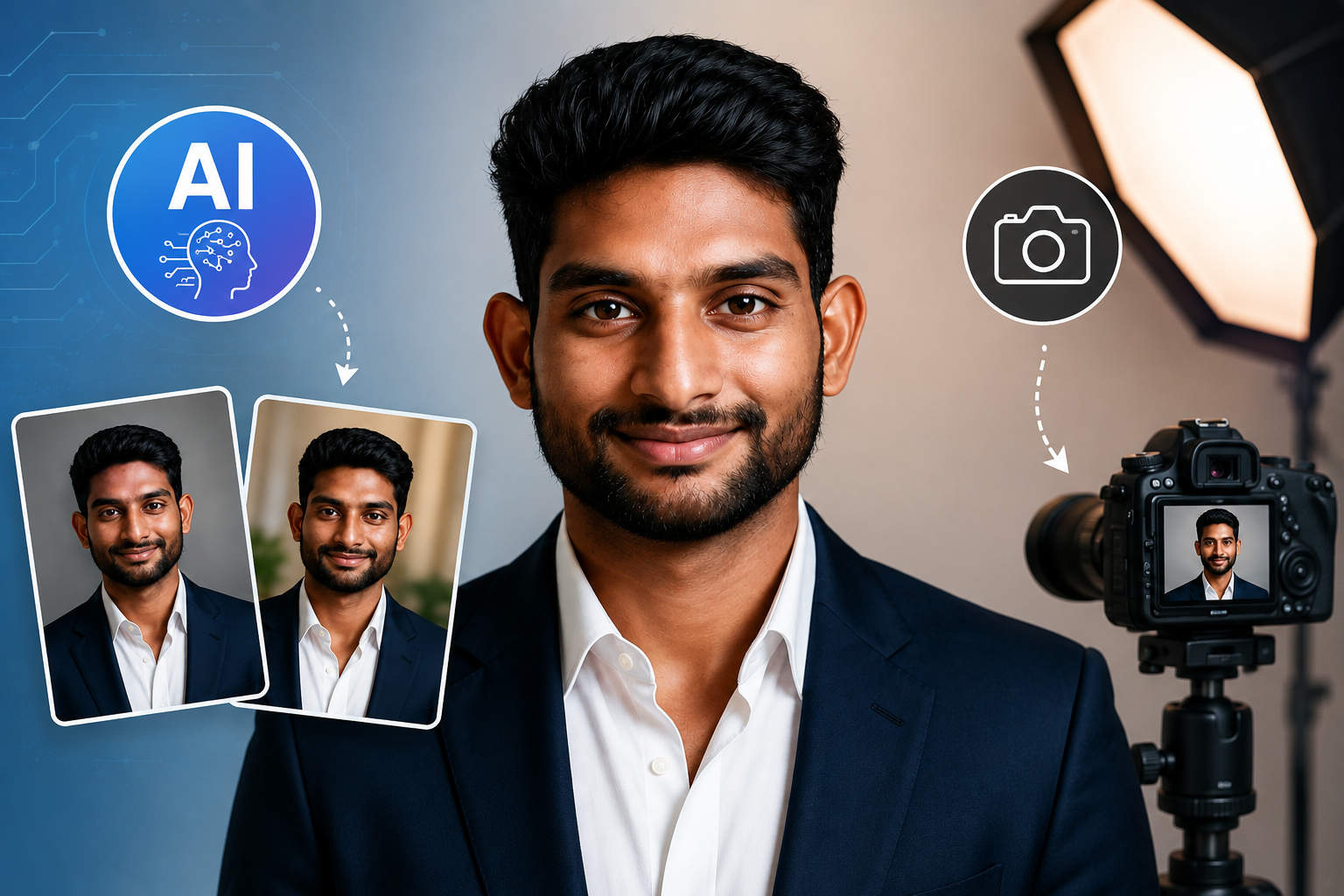
You’ve probably already used a photo for LinkedIn, your resume, website, or professional social profiles, but a casual selfie does not always communicate the professional image you want. The right professional headshot can make your online presence look more polished, credible, and consistent, and this guide explains what makes a headshot effective, how to prepare for one, and how to create one using traditional photography or AI tools.
Key Takeaways
- Professional headshots are polished portraits designed for LinkedIn, resumes, websites, portfolios, networking, and personal branding.
- Professional appearance depends on lighting, framing, clothing, expression, background, image quality, and a natural-looking presentation.
- Traditional photography provides hands-on control over lighting, posing, location, and the final image.
- AI-generated headshots provide a convenient alternative for creating professional-looking portraits from suitable reference photos.
- Source photos matter because good lighting, clear facial features, and a natural expression can improve AI-generated results.
- Platform requirements differ, so the same headshot may need different crops or dimensions for LinkedIn, websites, resumes, and social profiles.
- Authenticity matters because the best professional headshot should remain recognizable and accurately represent how you look.
What Are Professional Headshots and How Are They Different From Regular Portraits?
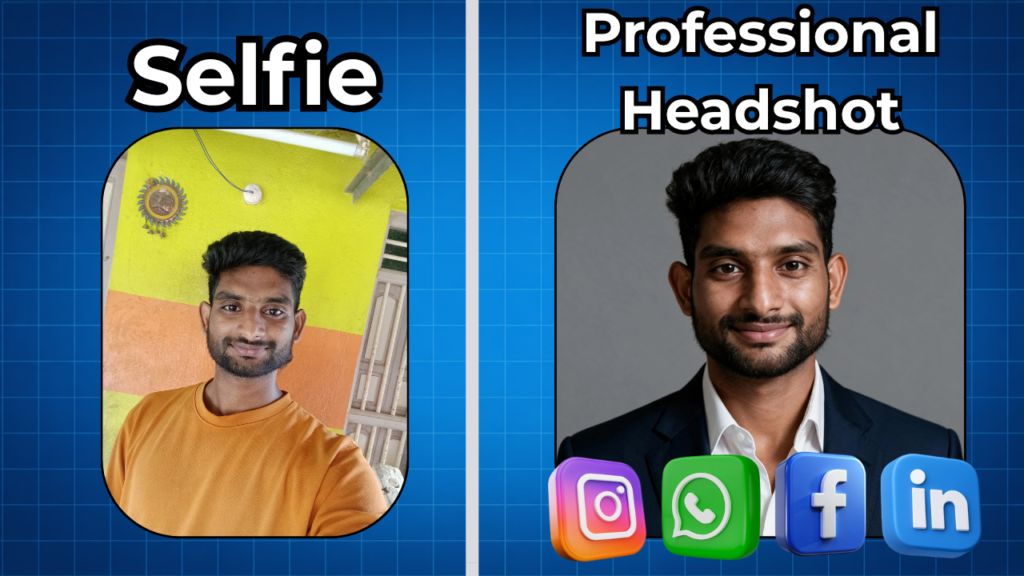
A professional headshot is a polished portrait created to represent a person in a professional context, such as LinkedIn, a resume, a company website, or a professional portfolio. Unlike a casual selfie, a professional headshot uses deliberate choices around lighting, composition, clothing, expression, background, and framing.
For example, a casual vacation photo might show your entire body, several people, or a busy background, while a business headshot usually keeps attention on your face and shoulders.
Moreover, professional headshot photography can be used across several professional settings, including:
- LinkedIn profiles
- Company team pages
- Personal websites
- Professional portfolios
- Speaker profiles
- Business cards
- Press or media profiles
- Networking platforms
- Creator and consultant profiles
At the same time, a headshot is not necessarily the same thing as a formal corporate photograph. Your industry should influence the visual style. For example, a lawyer may choose a conservative studio portrait, while a designer or photographer may prefer a more creative environmental portrait.
Why Are Professional Headshots Important for Your Career and Personal Brand?
Professional headshots are important because they give people a recognizable and visually consistent representation of you across professional platforms. A strong image can support credibility, recognition, personal branding, and professional consistency before someone reads your full profile.
LinkedIn states that members with a profile photo receive up to 21X more profile views and 9X more connection requests than members without one — Source: [LinkedIn].
Furthermore, LinkedIn says adding a photograph helps current and potential connections recognize you and that a profile photo can increase profile credibility.
For example, imagine a recruiter finds two otherwise similar LinkedIn profiles. A clear, current professional photo can make it easier to associate your face with your name when they encounter you elsewhere.
How Do Professional Headshots Support Personal Branding?
Personal branding is the consistent presentation of your professional identity across platforms. A consistent headshot can become part of your visual identity, particularly when your LinkedIn, website, portfolio, and speaker profiles use related imagery.
For example, a consultant might use the same primary headshot on LinkedIn and their website while using slightly different crops for each platform.
Moreover, consistency becomes particularly useful for freelancers, entrepreneurs, executives, consultants, coaches, creators, and other professionals who are frequently discovered online.
What Makes a Professional Headshot Look Professional?
A professional headshot typically uses intentional lighting, framing, background selection, clothing, facial expression, and composition to create a clear and credible representation of the subject. Professionalism comes from controlled visual choices rather than simply using an expensive camera.
For example, a smartphone photograph taken near a window with a clean background can look more professional than a poorly lit studio photograph with distracting composition.
What Is the Best Composition and Framing for a Headshot?
Composition is the arrangement of your face, shoulders, body, and surrounding space within the photograph. A strong headshot keeps your face prominent without making the image feel cramped.
For example, a LinkedIn profile picture usually works well when your face remains clearly visible after the image is displayed as a small circular thumbnail.
Moreover, keep these composition principles in mind:
- Keep your face clearly visible.
- Leave appropriate space around your head.
- Avoid cutting through awkward points such as the chin.
- Use a natural camera angle.
- Look toward the camera unless a different creative style is intentional.
What Lighting and Background Should You Use?
Lighting determines how clearly your face, skin tones, eyes, and facial features appear. Soft, balanced lighting usually creates a more natural professional portrait than harsh overhead or direct flash.
For example, standing near a large window with indirect daylight can produce soft illumination across your face without requiring complicated equipment.
A professional headshot background should also support rather than compete with your face. Suitable options include:
- Plain studio backgrounds
- Neutral walls
- Softly blurred office environments
- Outdoor environments with limited distractions
- Professionally designed AI backgrounds
What Facial Expression and Pose Work Best?
A professional pose communicates confidence while still looking natural. The strongest pose is usually one that matches your profession and personality rather than forcing an exaggerated expression.
For example, a consultant may choose a relaxed smile and slight shoulder angle, while an executive may prefer a confident neutral expression.
In addition, take several variations instead of relying on one pose. Small changes in head angle, shoulder position, smile, and eye direction can produce noticeably different results.
How Should You Prepare for a Professional Headshot?
Preparing for a professional headshot means choosing appropriate clothing, grooming, accessories, location, expression, and visual style before taking or generating the image. Preparation reduces distractions and gives you more control over the final result.
For example, deciding your intended use before the shoot helps you choose whether you need a corporate, creative, approachable, executive, or personal-branding style.
What Should You Wear for a Professional Headshot?
Professional headshot clothing should match your profession, audience, and personal brand. Choose clean, well-fitting clothing that supports your face rather than becoming the main visual focus.
For example, a finance professional might choose a suit or business-casual outfit, while a creative professional could use a polished but less formal style.
Generally, consider:
- Solid or subtle patterns
- Clean, wrinkle-free clothing
- Professionally appropriate colors
- Comfortable clothing that fits correctly
- Accessories that do not distract from your face
Moreover, avoid clothing with extremely busy patterns, large logos, or distracting details unless they are important to your professional identity.
What Background Is Best for a Professional Headshot?
A professional headshot background should be clean, visually controlled, and appropriate for the intended professional context. Neutral backgrounds are usually versatile because they keep attention on your face.
For example, a light gray, white, beige, or softly blurred office background can work well for LinkedIn and corporate profiles.
At the same time, a creative professional may benefit from a more contextual background if it supports their brand without overwhelming the portrait.
How Can You Prepare Your Face, Hair, and Accessories?
Grooming preparation ensures that your appearance looks intentional and current. Your hairstyle, facial hair, glasses, jewelry, and other visible details should represent how you normally present yourself professionally.
For example, if you normally wear glasses at work, removing them only for the photograph could make the final image feel less representative.
In addition, avoid making major appearance changes immediately before an important headshot unless you are confident about the result.
How Can You Create Professional Headshots With AI?
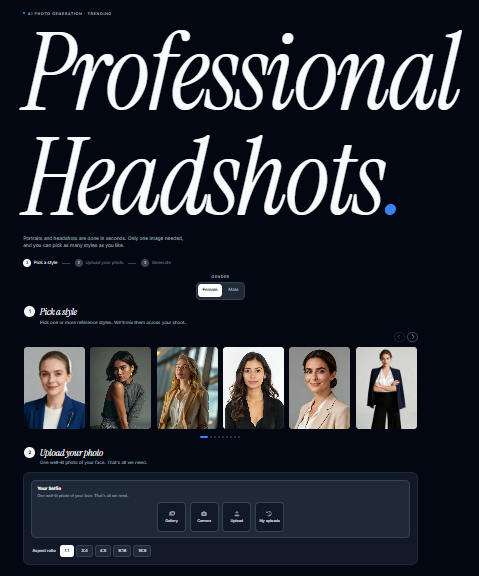
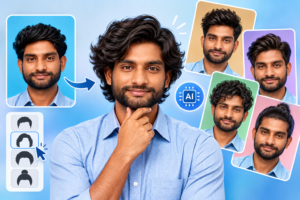
Creating a professional AI headshot involves selecting a suitable reference photo, choosing an appropriate visual style, generating image variations, reviewing the results, and selecting the most natural-looking image. AI headshot generators can be useful when you want professional variations without arranging an in-person photography session.
For example, you could start with a clear portrait taken with your smartphone and generate several professional styles suitable for LinkedIn or a company profile.

🔗Try Photo AI Studio for Free:
Step 1: Select the Professional Style
The visual style determines how the generated headshot should look. Choose a style that matches your industry, professional role, and intended platform.
For example:
- Corporate executive
- Business casual
- LinkedIn professional
- Creative professional
- Studio portrait
- Modern personal branding
- Professional outdoor portrait
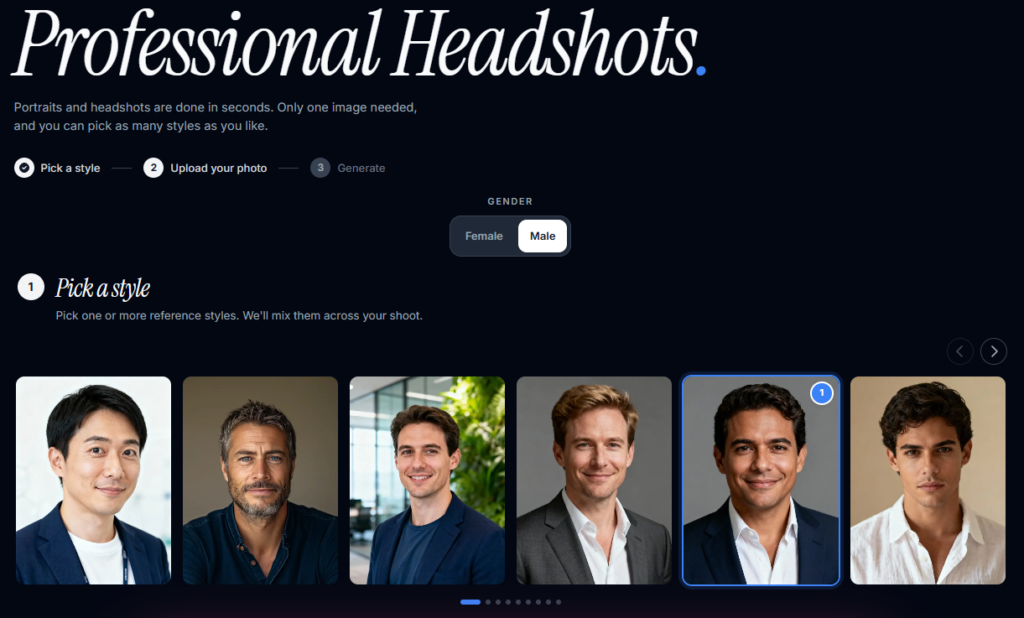
Moreover, avoid choosing a dramatic style simply because it looks impressive. A headshot for a financial consultant, for example, should communicate something different from a creative director’s personal-branding image.
Step 2: Choose a Suitable Reference Photo
A reference photo is the source image an AI system uses to understand your appearance. A clear, well-lit, front-facing or naturally angled photograph usually provides a stronger starting point than a blurry or heavily edited image.
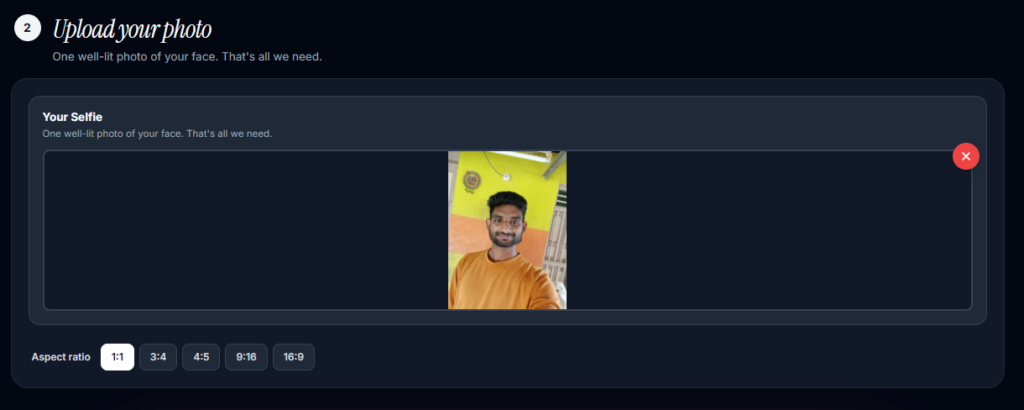
For example, choose a photo where your face is unobstructed, your features are clear, and the image does not contain multiple people.
Step 3: Generate and Review Variations
Image variations allow you to compare different expressions, compositions, clothing, lighting, and backgrounds. Review several results instead of automatically selecting the first generated image.
For example, one version may have excellent lighting but an unnatural smile, while another may have a more realistic expression and better framing.
You can now create realistic photos using simple text prompts or reference images.
Step 4: Check Authenticity Before Using the Image
AI-generated professional headshots are digital portraits created with artificial intelligence from a person’s reference images or other inputs and can provide an alternative to arranging an in-person photography session. The final image should still look recognizably like you.
For example, check your eyes, face shape, hairstyle, skin texture, teeth, glasses, ears, and other distinctive characteristics before publishing the image.
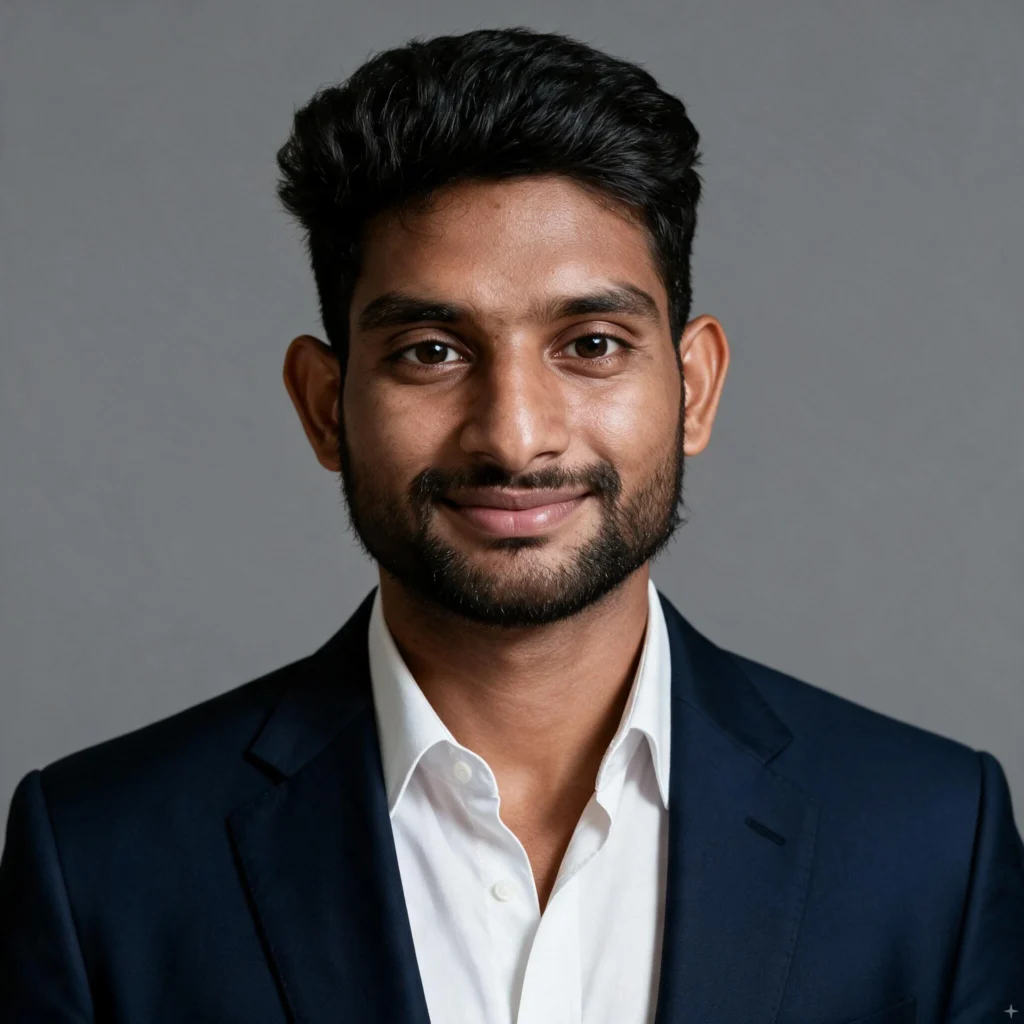
LinkedIn’s current guidance says a profile photo should reflect your likeness and can reject images that depict other people’s likenesses, stock imagery, fictional characters, or unrelated visuals.
Are AI-Generated Headshots Good Enough for Professional Profiles?
AI-generated headshots can be suitable for professional profiles when the output is realistic, recognizable, professionally styled, and appropriate for the intended use. However, AI-generated images require human review because visual quality and accuracy can vary between generations.
For example, a generated image might look polished while subtly changing facial proportions or creating unrealistic clothing details.
Recent research also shows that AI-assisted creative work increasingly involves human judgment rather than completely removing it. Adobe’s 2026 research found that 86% of surveyed creatives said AI had been positive for their work, while 38% reported using AI daily — Source: [Adobe, 2026].
Adobe’s 2026 Creators’ Toolkit Report found that 57% of creators say AI-generated outputs typically require moderate or extensive editing before they’re ready to share — a figure that rises to 72% among creators in India — Source: [Adobe, 2026].
Therefore, treat AI as a creation and iteration tool rather than an automatic replacement for your own judgment.
What Is the Difference Between Traditional and AI-Generated Headshots?
Traditional photography and AI-generated headshots are two different approaches to creating professional portraits, with each offering different levels of control, convenience, cost, and customization.
| Factor | Traditional Photography | AI-Generated Headshots |
|---|---|---|
| Process | In-person or DIY photography session | Upload source photos and generate |
| Lighting | Photographer controls lighting | AI simulates or modifies lighting |
| Posing | Real-time human direction | Generated from learned visual patterns |
| Convenience | Requires scheduling or setup | Can be created remotely |
| Customization | Controlled during the shoot | Multiple generated styles possible |
| Turnaround | Depends on photographer and editing | Often designed for faster iteration |
| Authenticity | Direct photograph of you | AI-generated representation based on inputs |
| Best for | High-control professional sessions | Convenience and multiple visual options |
When Should You Hire a Professional Photographer?
A professional photographer is useful when you need maximum control over the physical shoot and want an experienced person directing lighting, composition, posing, and expression. Photography is particularly valuable for executives, teams, actors, public-facing professionals, and situations where exact visual authenticity matters.
For example, a company might hire a photographer to create consistent corporate headshots for its entire leadership team.
When Is an AI Headshot Tool Practical?
An AI headshot tool is practical when convenience, experimentation, and remote creation are important. AI can be useful for professionals who already have suitable photographs but need new professional styles or backgrounds.
For example, a freelancer who recently changed industries could use an appropriate source image to explore a more corporate personal-branding style without immediately scheduling a studio session.
What Tools Can You Use to Create Professional Headshots?
Professional headshot tools include smartphone cameras, traditional photography equipment, photo-editing applications, and AI headshot generators. The right tool depends on whether you need direct photographic control, editing flexibility, or AI-assisted generation.
Photo AI Studio for AI Professional Headshots
Photo AI Studio can be used as one option for creating professional AI headshots from suitable source images. A practical workflow is to upload a clear image, select an appropriate professional style, generate variations, review the results, and download the strongest image.
🔗Try Photo AI Studio for Free:
For example, if your goal is a LinkedIn profile, prioritize a clean background, natural facial expression, professional clothing, and a crop that keeps your face clearly visible.
Free and Traditional Alternatives
Free alternatives can be useful if you want to create a headshot without using an AI generator. A smartphone, natural window light, tripod, and basic editing software can produce a strong DIY starting point.
For example, Indeed’s 2026 guidance recommends using a simple background, natural light, a rear-facing smartphone camera, multiple photos, and editing software when creating a DIY professional headshot — Source: [Indeed, 2026].
Moreover, professional editing software can help with minor adjustments such as cropping, exposure, and distracting background elements without changing your identity.
How Do You Choose the Best Professional Headshot for LinkedIn and Your Resume?
The best professional headshot is one that remains recognizable and natural while matching the user’s profession, personal brand, and intended platform. Choose the image that communicates the right professional impression rather than simply the most visually dramatic image.
For example, if you are a software consultant, a clean and approachable portrait may communicate more effectively than a heavily stylized fashion photograph.
LinkedIn recommends that profile photos reflect your likeness, while its profile guidance emphasizes that professional photos can increase credibility and help people recognize you.
What Makes a Strong LinkedIn Headshot?
A strong LinkedIn headshot should be clear, current, recognizable, and appropriate for your professional identity. Because LinkedIn displays profile photos at relatively small sizes, facial clarity matters more than tiny clothing or background details.
For example, test your image at thumbnail size and confirm that your face remains easy to recognize.
Should You Put a Professional Headshot on Your Resume?
A resume headshot should only be used when it is appropriate for your country, industry, employer, or application requirements. A professional photo is not universally recommended for resumes.
For example, Indeed’s 2026 guidance notes that many career experts in countries such as the United States recommend leaving photos off resumes, while photographs may be relevant in fields such as modeling or entertainment — Source: [Indeed, 2026].
Therefore, consider using your professional headshot on LinkedIn or your portfolio even when your resume does not include a photograph.
What’s Next: How Do You Choose and Use Your Professional Headshot?
Choosing and using a professional headshot requires checking authenticity, professional relevance, image quality, platform suitability, and consistency across your profiles. Your final image should represent the professional identity you want people to remember.
Use this practical checklist before publishing:
- Check your identity: Make sure the image clearly looks like you.
- Check the expression: Choose an expression that matches your professional role.
- Check the clothing: Confirm that the outfit fits your industry and audience.
- Check the background: Remove visual distractions.
- Check the lighting: Make sure your face is clearly visible.
- Check the crop: Test the image as a small profile thumbnail.
- Check consistency: Compare it with your website and other professional profiles.
- Save multiple versions: Keep suitable crops and resolutions for different platforms.
Moreover, save the original high-quality image separately from your cropped profile versions. This approach makes future resizing and repurposing easier.
Indeed recommends saving professional headshots in multiple sizes for different uses and updating them periodically so the image accurately reflects your current appearance — Source: [Indeed, 2026].
Frequently Asked Questions (FAQs)
Q1: What is an AI professional headshot?
A: An AI professional headshot is a digitally generated portrait created from one or more reference photos using artificial intelligence. It can produce professional-looking clothing, backgrounds, lighting, and poses without requiring an in-person photo session.
Q2: Are AI-generated headshots good enough for LinkedIn?
A: Yes, an AI-generated headshot can work for LinkedIn when it looks natural, recognizable, and professionally appropriate. Always check the face, skin, hair, eyes, clothing, and background before using the image.
Q3: Can I create a professional headshot from a selfie?
A: Yes, many AI headshot tools can use a suitable selfie as a reference image. For better results, choose a clear, well-lit photo with your face unobstructed.
Conclusion: Build a Professional Online Presence With the Right Headshot
A professional headshot is a visual representation of your professional identity, so it should be credible, recognizable, current, and appropriate for your industry. Whether you choose professional headshot photography, a DIY setup, or an AI headshot generator, the goal is the same: create an image that represents you accurately and communicates the right impression.
Moreover, AI has made it easier to explore professional visual styles without always arranging an in-person session, while traditional photography remains valuable when you need precise control and authentic capture.
Finally, do not choose a headshot simply because it looks impressive. Choose the image that looks like you, fits your professional role, and works consistently across the platforms where people discover you.
Written by Muthumanickam — SEO and Content Creator with 5+ years of experience in SEO, content creation across different platforms, blogging, and affiliate marketing.
Pingback: How Does an AI Skin Enhancer Work? A Step-by-Step Guide - aitooltrusted.com