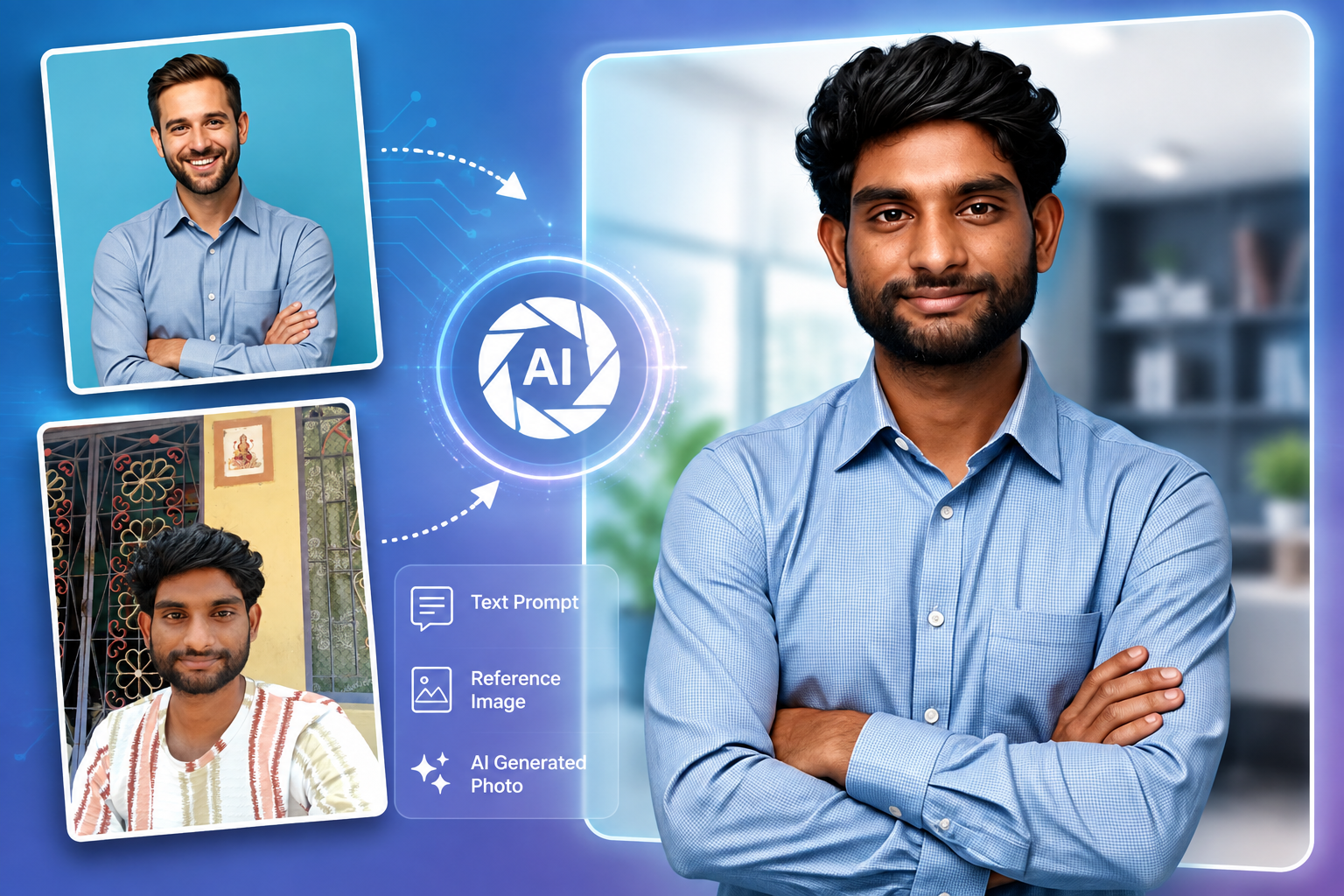
You’ve probably already seen AI-generated photos that look almost like real photography, but creating a convincing result takes more than typing a few words into an AI tool. In this guide, we’ll explain what AI photos are, how to create them from text or reference images, how to write better prompts, and how to improve your results step by step.
Key Takeaways
- AI photos are images created or significantly modified using artificial intelligence from text prompts, reference images, or existing photographs.
- Text-to-image, reference-image, image-to-image, and AI editing are the main methods for creating AI photos.
- AI photos can help create portraits, marketing visuals, product images, social media content, and creative concepts quickly.
- Detailed prompts give you more control by describing the subject, setting, lighting, composition, mood, and visual style.
- Reference images can guide an AI generator toward a specific appearance, pose, composition, or visual style.
- Multiple variations and prompt refinement can significantly improve the quality and consistency of generated images.
- The right AI photo method depends on whether you want to create a new image, transform an existing photo, or edit specific elements.
What Are AI Photos and How Do They Work?
AI photos are images created or significantly modified using artificial intelligence, often from text prompts, reference images, or existing photographs. Unlike traditional photography, an AI-generated photo does not necessarily require a camera, physical location, or photographed subject. For example, you can describe “a professional woman standing in a modern office with soft window lighting” and an AI image generator can create a new visual based on that description.
Moreover, AI image generation uses generative models to interpret instructions and produce visual content that matches the requested characteristics. For example, a text-to-image system can interpret words such as portrait, studio lighting, 85mm lens, shallow depth of field, and professional clothing and combine those concepts into one generated image.
At the same time, AI photos can also begin with an existing image rather than a blank canvas. For example, you can upload a product photograph and ask an AI tool to place the product in a luxury studio environment.
🔗Try Photo AI Studio for Free:
How Are AI Photos Different From Traditional Photos?
AI-generated photos are produced computationally, while traditional photographs capture light from a real-world scene. A conventional photograph records an actual subject through a camera, whereas an AI-generated image can create a subject that never physically existed.
For example, a photographer may need a model, camera, lighting equipment, location, and editing software to produce a fashion photograph. An AI generator can create a similar visual concept from a written description.
Furthermore, the difference is not always absolute because modern creative workflows often combine both approaches. A creator might photograph a real product and use AI to replace the background, improve lighting, or create additional campaign variations.
Why Are AI Photos Useful for Creating Visual Content?
AI photos are useful because they can accelerate visual ideation, production, editing, and experimentation. For example, a social media manager can generate several visual concepts for a campaign before deciding which direction deserves a full production.
According to Adobe’s 2026 research, 76% of organizations reported that generative AI moderately or significantly improved the volume and speed of content ideation and production — Source: Adobe, 2026.
Moreover, AI photos can help creators produce visual assets when traditional photography would be expensive, slow, or difficult. For example, a small business can explore different product backgrounds and advertising concepts without arranging a separate photoshoot for every variation.
What Can You Create With AI Photos?
AI photos can support a wide range of personal, professional, marketing, and creative projects. Common applications include:
- Professional portraits and headshots
- Product photography concepts
- Social media visuals
- Blog and website images
- Advertising concepts
- Fashion and lifestyle scenes
- Character concepts
- Travel and fantasy scenes
- Background replacement
- Creative photo manipulation
How to Get a Professional Headshot (AI or Camera)
In addition, AI is increasingly integrated into professional creative workflows rather than being used only for experimentation. Adobe reported in 2026 that 75% of surveyed creators described creative AI as integrated or essential to their workflow — Source: Adobe, 2026.
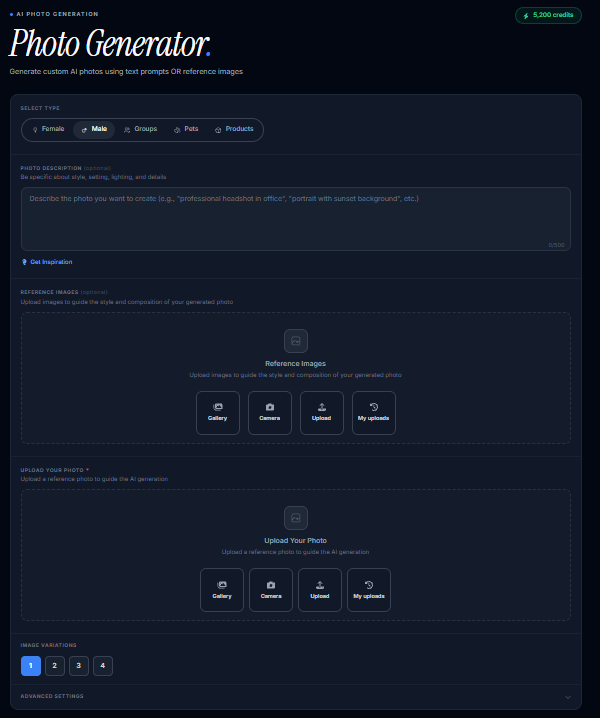
How Can You Create AI Photos From Text Using Photo AI Studio?
Text-to-image generation creates a new image from a written description. For example, a prompt such as “realistic portrait of a young entrepreneur in a modern office, natural window light, shallow depth of field” gives the AI a visual brief to interpret.

🔗Try Photo AI Studio for Free:
Step 1: Choose an AI Photo Generator
An AI photo generator is a tool that converts written instructions or visual references into generated images. You can choose a general-purpose AI image generator or a specialized tool designed for portraits, product images, or creative photography.
Step 2: Describe the Subject
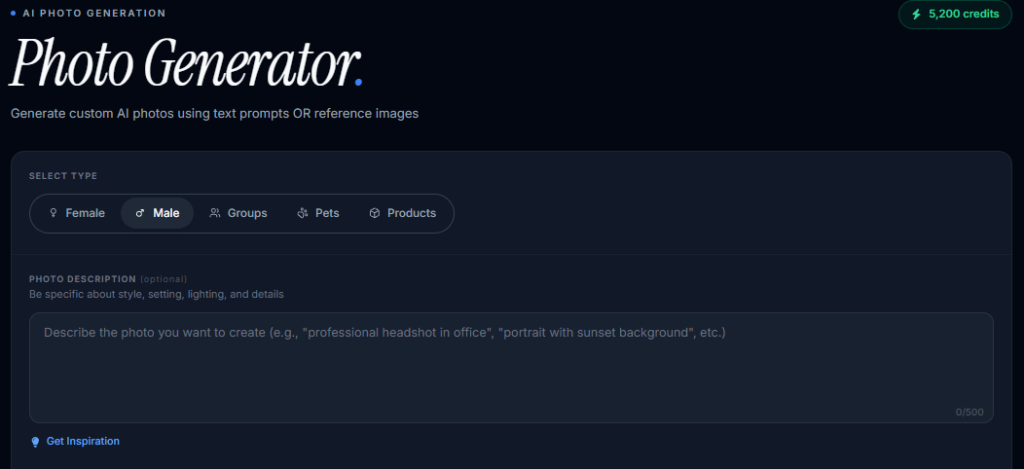
The subject is the main person, object, or scene that should appear in your image. For example, instead of writing “a man,” describe “a 35-year-old male entrepreneur wearing a dark blue blazer, standing beside a laptop.”
Step 3: Add Environment and Composition
The environment and composition explain where the subject appears and how the image should be framed. For example, “inside a bright modern office, medium shot, subject positioned slightly to the left, clean background” provides much more visual direction.
Step 4: Add Lighting and Style
Lighting and visual style strongly influence whether an AI photo feels realistic or artistic. For example, “soft natural window light, realistic skin texture, subtle shadows, professional editorial photography” pushes the generation toward a photographic appearance.
Step 5: Generate and Refine
Creating an AI photo typically involves choosing a generation method, describing the desired result, generating variations, and refining the prompt until the output matches the intended result. For example, if the first image has unrealistic hands, you can modify the prompt and regenerate rather than accepting the first result.
How Can You Generate AI Photos Using a Reference Image?
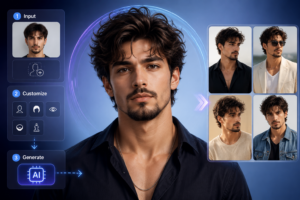
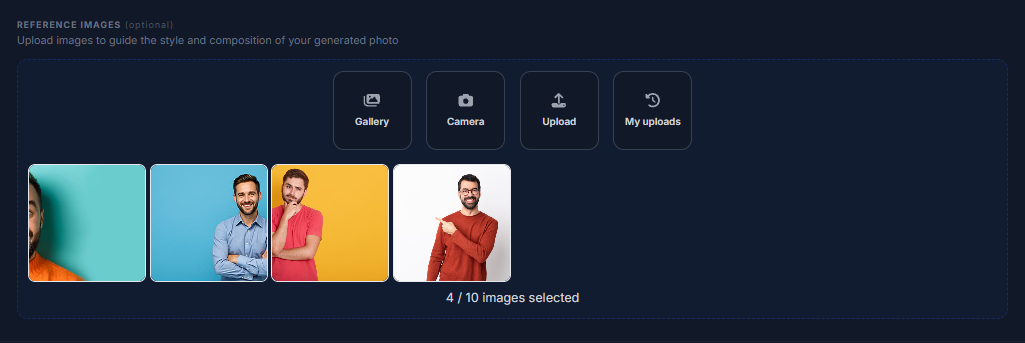
Reference-image generation uses an existing image to provide additional visual information to an AI image generator. For example, you can upload a portrait and ask the AI to preserve the general appearance while changing the clothing, environment, or artistic direction.
Reference images give an AI image generator additional visual information that can help guide the subject, composition, appearance, pose, or overall style.
When Should You Use a Reference Image?
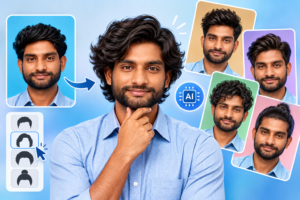
Reference images are most useful when text alone cannot communicate the desired visual characteristics precisely. For example, a reference photograph can communicate a particular pose, product shape, hairstyle, composition, or color arrangement more clearly than a written description.
At the same time, reference images can improve consistency when you want several outputs based on a similar visual identity. For example, a creator could use a reference portrait to develop multiple professional scenes while maintaining recognizable characteristics.
How Can You Turn an Existing Photo Into an AI-Generated Image?
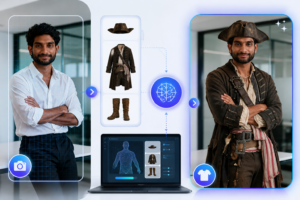
Image-to-image generation transforms an existing image according to new instructions instead of starting completely from scratch. For example, you can upload a photograph of a person and request “turn this into a cinematic outdoor portrait during golden hour.”
Image-to-image generation transforms an existing image according to new instructions.
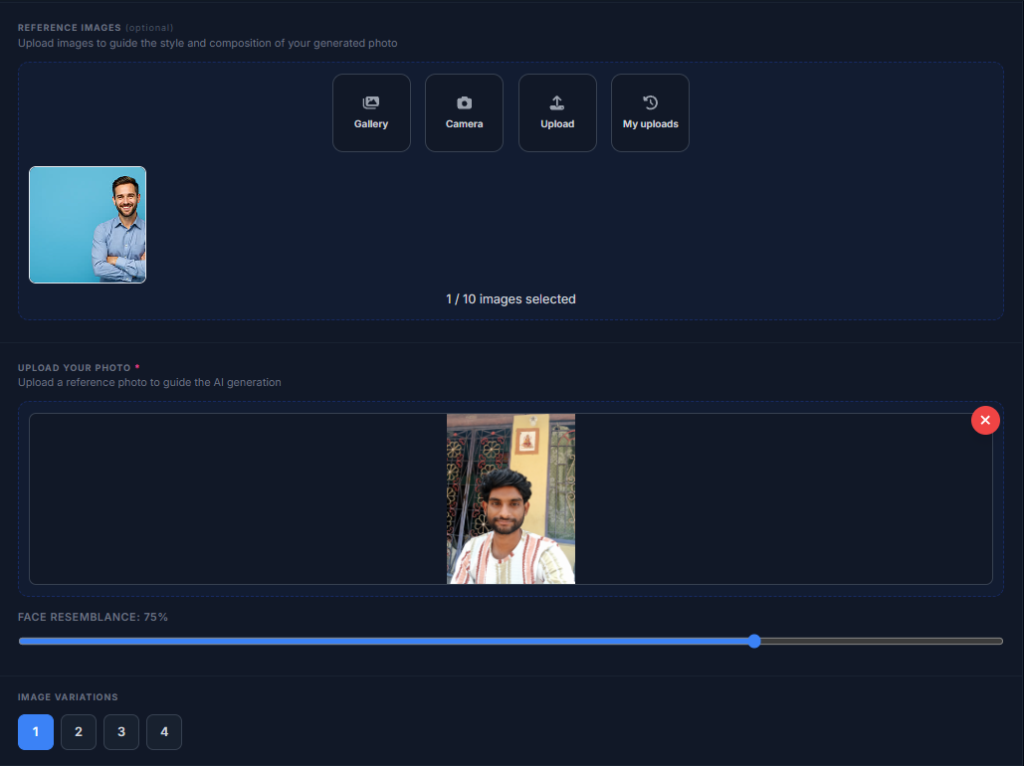
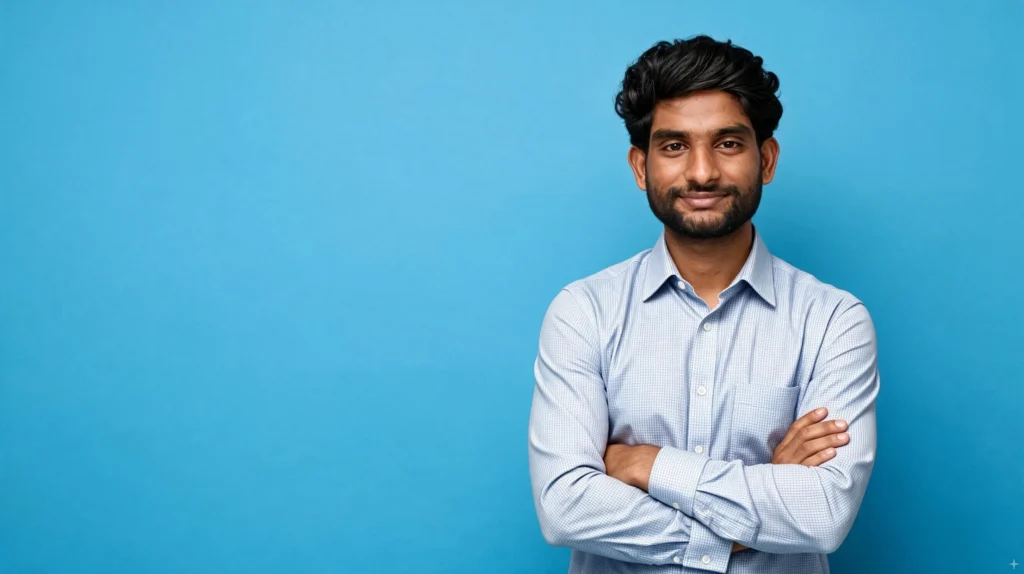
Moreover, this method is useful when you already have a strong composition but want to change its appearance. For example, a photographer could retain the subject’s general pose while experimenting with different environments, colors, or visual styles.
How Can AI Replace Backgrounds and Objects?
AI editing can selectively modify parts of an existing photograph while keeping other areas intact. For example, you can replace a distracting background while preserving the main product or person.
Similarly, AI object replacement can change individual elements without requiring you to rebuild the entire image. For example, an e-commerce creator could replace a plain table surface with a premium marble background.
How Do You Write Effective AI Photo Prompts?
Effective AI photo prompts describe the subject, setting, composition, lighting, visual style, and other important details that influence the generated photo. For example, a prompt containing subject + location + lighting + camera perspective + mood generally provides clearer direction than a vague request such as “make a nice portrait.”
A Simple AI Photo Prompt Formula
A practical AI photo prompt can follow the structure: Subject + Appearance + Environment + Composition + Lighting + Style + Quality.
For example:
A professional female entrepreneur in her 30s, wearing a beige blazer, standing in a modern glass office, medium portrait, soft natural window lighting, realistic skin texture, subtle background blur, editorial photography, photorealistic.
Another example for product photography is:
Luxury black smartwatch on a white stone pedestal, premium minimalist studio, soft directional lighting, realistic reflections, shallow depth of field, high-end commercial product photography.
How Can You Make AI-Generated Photos Look More Realistic?
Realistic AI photos usually require precise descriptions of lighting, materials, textures, proportions, and photographic characteristics. For example, instead of saying “realistic person,” specify “natural skin texture, subtle facial details, soft directional light, realistic hair strands, authentic photographic depth of field.”
Use these prompt elements when realism matters:
| Prompt Element | What to Describe | Example |
|---|---|---|
| Subject | Person or object | Professional entrepreneur |
| Environment | Location and surroundings | Modern office |
| Composition | Framing and position | Medium portrait |
| Lighting | Light direction and quality | Soft window light |
| Camera style | Photographic appearance | 85mm portrait look |
| Texture | Surface details | Natural skin texture |
| Mood | Emotional atmosphere | Calm and confident |
| Style | Overall visual direction | Editorial photography |
Furthermore, generating multiple versions is often more effective than endlessly editing one weak result. Adobe’s 2026 creator research found that AI users are improving results through better prompting and the use of multiple models — Source: Adobe, 2026.
What Types of AI Photos Can You Create?
AI photo generation can produce portraits, product visuals, lifestyle scenes, social media images, and highly imaginative concepts. For example, the same underlying technology can create a professional headshot for LinkedIn or a fantasy landscape for a creative project.
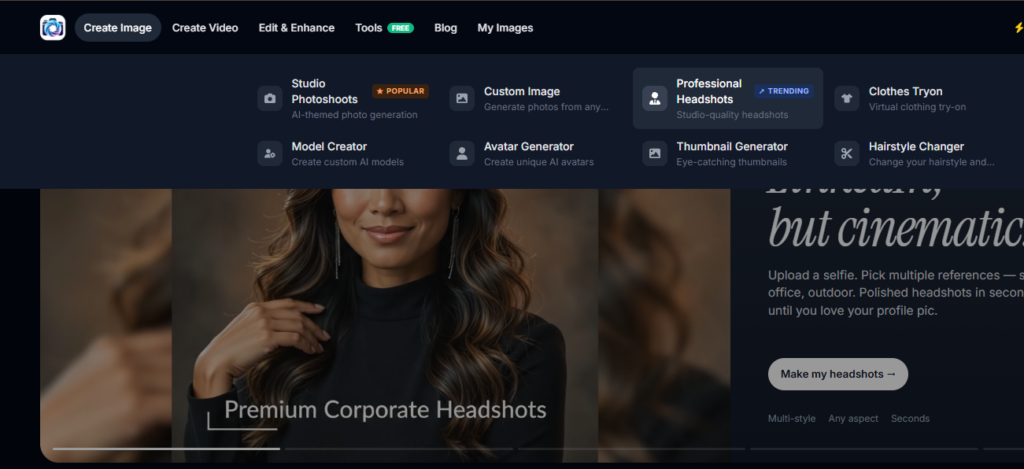
AI Portraits and Professional Headshots
AI portrait generation creates or transforms images of people based on text instructions or reference photos. For example, you can generate a professional headshot with a neutral studio background, formal clothing, and soft lighting.
🔗Generate Professional Headshots for Free:
AI Product Photography
AI product photography creates or modifies product visuals without requiring every scene to be photographed physically. For example, an online store could place a product on a premium studio set or create lifestyle variations for advertising.
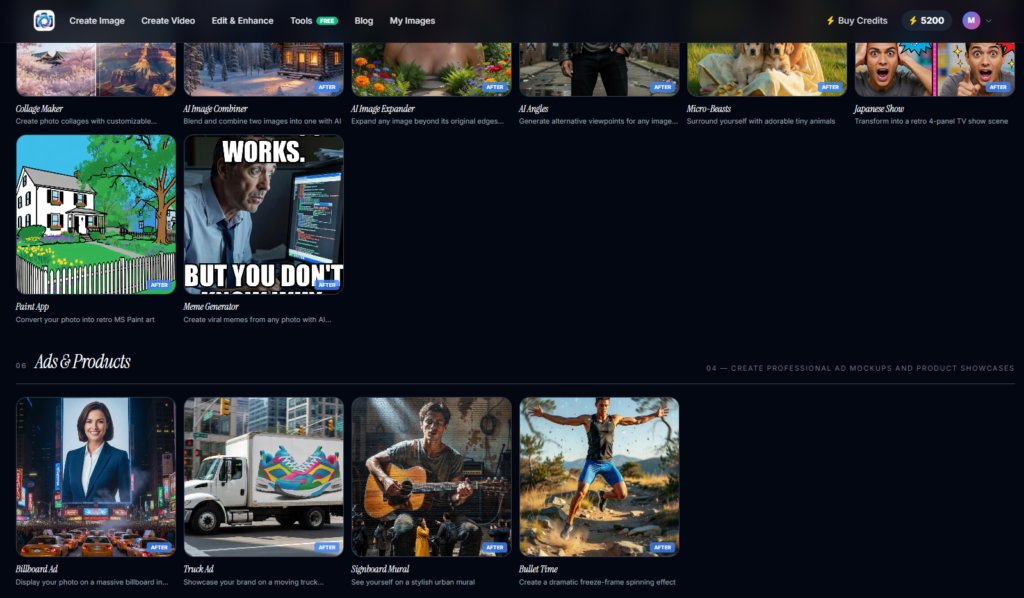
AI-Generated Social Media Images
AI-generated social media images help creators produce visual concepts tailored to different posts and campaigns. For example, a marketer can create several lifestyle scenes around one campaign idea and test different compositions.
🔗Generated Social Media Images for Free:
What Are the Best AI Photo Generators for Different Use Cases?
The best AI photo generator depends on the type of image you need, the level of control required, and whether you are generating or editing an existing photo. For example, a beginner creating simple concepts may prefer an easy text-to-image interface, while a professional workflow may require stronger reference-image and editing controls.
Rather than choosing a tool only because it produces attractive examples, compare tools by their actual workflow:
| Use Case | Useful Capability | What to Look For |
|---|---|---|
| Portraits | Text/reference generation | Identity and pose control |
| Product images | Image editing | Background and composition control |
| Social media | Fast generation | Multiple variations |
| Creative concepts | Text-to-image | Style flexibility |
| Existing photos | Image-to-image | Preservation and transformation |
| Photo enhancement | AI editing | Detail and quality controls |
Adobe’s 2025 creator research found that 86% of creators were actively using creative generative AI, while 60% reported using more than one creative AI tool in a three-month period — Source: Adobe, 2025.
Moreover, free or widely available tools can be useful for learning the fundamentals before committing to a paid workflow. The important factor is not simply the number of features, but whether the tool gives you enough control to achieve your intended result.
What Are the Common Problems With AI-Generated Photos and How Can You Fix Them?
Common AI photo problems include distorted hands, inconsistent faces, unnatural text, incorrect objects, strange proportions, and unrealistic lighting. For example, an AI-generated person may look convincing overall but have distorted fingers or jewelry that changes between variations.
First, fix unclear outputs by making the prompt more specific rather than simply adding more adjectives. For example, replace “beautiful realistic portrait” with a description of the person’s clothing, pose, lighting, camera perspective, and environment.
Second, use reference images when visual consistency matters. For example, a reference photo can provide additional information when you need a similar subject or composition across multiple generations.
Third, generate several variations and compare them before choosing a final image. This approach gives you more opportunities to find a strong composition without relying on the first output.
Finally, inspect important details at full resolution before publishing. Hands, eyes, teeth, logos, product labels, text, and small objects deserve particular attention.
How Can You Improve AI Photos After They Are Generated?
AI-generated images often benefit from a final editing pass because generation and finishing are different creative tasks. For example, you may use AI to create the main scene and then use an image editor to correct color, crop the composition, sharpen details, or add brand elements.
Moreover, human review remains important because AI output can contain subtle visual errors that are easy to miss at thumbnail size. Adobe’s 2026 research found that 85% of creators said the final creative decision should always remain theirs — Source: Adobe, 2026.
A practical finishing workflow includes:
- Check anatomy and proportions.
- Inspect faces, hands, eyes, and small details.
- Correct distracting objects or backgrounds.
- Adjust brightness, contrast, and color.
- Crop for the intended platform.
- Add branding or typography separately when necessary.
- Review the final image at its intended publishing size.
What Should You Do After Creating Your First AI Photo?
The best next step after creating your first AI photo is to analyze the result and deliberately refine one element at a time. For example, if the subject looks good but the lighting feels artificial, change the lighting description rather than rewriting the entire prompt.
Next, build a small library of prompts that produce useful results for your recurring projects. For example, a social media manager can save proven prompt structures for portraits, product scenes, lifestyle images, and campaign concepts.
In addition, experiment with reference images when text prompts alone do not provide enough control. By combining clear instructions with useful visual references, you can make the generation process more predictable.
93% of creators say generative AI helps them produce content faster, according to Adobe’s 2026 Creators’ Toolkit Report — though most agree the human eye still catches what the algorithm misses.
Frequently Asked Questions (FAQs)
Q1: What are AI photos?
A: AI photos are images created or significantly modified using artificial intelligence. They can be generated from text prompts, reference images, or existing photographs.
Q2: How can I create AI photos from text?
A: You can create AI photos from text by entering a detailed prompt into an AI image generator. Describe the subject, setting, lighting, composition, and visual style to guide the result.
Q3: Can I generate AI photos using a reference image?
A:Yes. Many AI image generators allow you to upload a reference image to guide the appearance, pose, composition, or visual style of the generated photo.
Conclusion
AI photos make visual creation faster and more accessible by allowing people to generate, transform, and edit images with artificial intelligence. Text-to-image generation is useful for creating new concepts, reference-image generation provides additional visual guidance, and image-to-image tools help transform existing photographs.
Moreover, the quality of an AI photo depends heavily on the method, prompt, reference material, and refinement process. A clear description of the subject, environment, composition, lighting, and style gives the AI more useful information to work with.
Most importantly, don’t expect the first generation to be perfect. Generate variations, identify what is wrong, refine one detail at a time, and use traditional editing when necessary. With practice, AI photo generation can become a practical part of your creative workflow rather than simply a tool for experimentation.
Written by: Muthumanickam — SEO and Content Specialist with 5+ years of experience in SEO, content creation across different platforms, blogging, and affiliate marketing.