Creating social media content takes time, especially when you need fresh ideas, engaging visuals, and video scripts for every post. However, you may be missing opportunities to combine AI tools across different stages of content creation. In this comprehensive guide, you’ll learn how to create social media content with Photo AI Studio, Syllaby.ai, and Predis.ai using a practical workflow, tool comparisons, and beginner-friendly examples.
Key Takeaways
- AI content creation tools support tasks such as brainstorming, image development, scriptwriting, captions, and social media post design.
- Photo AI Studio provides AI-powered photo creation workflows, including professional headshots and themed images.
- Syllaby.ai supports content ideation, AI scripts, and video production features, subject to its current plan structure.
- Predis.ai helps create social media creatives, captions, videos, and other marketing content through its AI-powered platform.
- Human review remains important for checking accuracy, originality, brand voice, and visual quality before publishing.
- Free access conditions vary by tool, and users should verify current trials, credits, and feature restrictions.
- A repeatable workflow helps creators move from content ideas to reviewed social media posts and video concepts.
What Are AI Tools for Social Media Content Creation?
AI tools for social media content creation are software applications that use artificial intelligence to help users develop images, scripts, captions, videos, and other digital content for social platforms. These tools support different production tasks, allowing creators to reduce repetitive work and prepare content more efficiently.
For example, a beginner blogger can use an AI tool to generate an image concept, develop a short video script, and prepare an Instagram caption without creating every draft manually.
Generative AI is now used in at least one recurring workflow by 87% of marketers, according to Salesforce’s State of Marketing 2026 report — up from just 51% two years earlier, a 36-percentage-point swing in 24 months.
How Do AI Tools Support Social Media Content Creation?
AI-assisted social media content creation involves using AI tools to support topic ideation, visual development, scriptwriting, editing, and content preparation.
For example, you could start with the topic “5 AI Tools Every Beginner Content Creator Should Know” and use separate tools for the image, video idea, and social media post.
Common AI-supported tasks include:
- Generating content ideas.
- Creating or editing images.
- Developing short-form video scripts.
- Writing captions and hashtags.
- Preparing social media designs.
- Repurposing content into different formats.
AI tools support content production, but they do not replace the creator’s responsibility for accuracy, originality, and audience relevance.
72% of marketers used AI to create social media content in 2025, up from 44% in 2024, per HubSpot’s State of Marketing report.
Why Are AI Tools Important for Social Media Marketing?
AI tools are important for social media marketing because they can assist with repetitive production tasks, content brainstorming, and the preparation of different content formats. Their practical value depends on the features available, the quality of the input, and the amount of human editing.
For example, a small business owner can use AI to prepare an initial product post draft instead of starting the caption and design from scratch.
How Can AI Tools Save Time for Content Creators?
AI-assisted content creation can reduce the manual effort required for initial drafts and repetitive tasks. Instead of developing every element independently, creators can use AI to generate starting points and then customize the results.
For example, a content creator preparing an Instagram carousel can use AI for topic suggestions, draft text, and visual concepts before completing the final design.
AI-generated drafts are starting points rather than guaranteed publishing-ready content. Human editing helps ensure that the message is accurate, useful, and consistent with the creator’s brand.
Teams using AI for social media save an average of 8.3 hours per week on content creation, per Salesforce’s State of Marketing 2026 report.
Can AI Tools Help Beginners Create Consistent Content?
AI tools can help beginners organize content production by supporting different stages of a repeatable workflow. A structured process is useful when one person manages research, writing, design, and publishing.
For example, a beginner can plan three weekly topics, create initial drafts using AI, review each piece, and prepare the content for Instagram or YouTube.
A consistent workflow does not guarantee higher engagement. However, planned content production can make it easier to maintain a publishing routine and review content performance.
What Are the 3 AI Tools for Social Media Content in 2026?
Photo AI Studio, Syllaby.ai, and Predis.ai are three platforms that can be evaluated for different social media content creation tasks. Their roles differ, so creators should select each tool based on the required output and current available features.
The following table summarizes their intended roles in this guide.
| AI Tool | Main Focus | Example Use |
|---|---|---|
| Photo AI Studio | AI photos and image workflows | Create a professional visual |
| Syllaby.ai | Content ideas, scripts, and videos | Develop a short-form video concept |
| Predis.ai | Social media creatives and marketing content | Prepare a social media post |
Free access note: The platforms do not necessarily offer unlimited free usage. Their plans and access conditions should be checked before relying on them for regular production.
1) What Is Photo AI Studio and How Can It Help Create Social Media Images?
Photo AI Studio is an AI-powered photo platform designed to create professional headshots, portraits, and themed images from a selfie. Its official website also presents a free desktop app from the team for creating videos through a separate product, VideoAIStudio.
Photo AI Studio

Photo AI Studio Features:
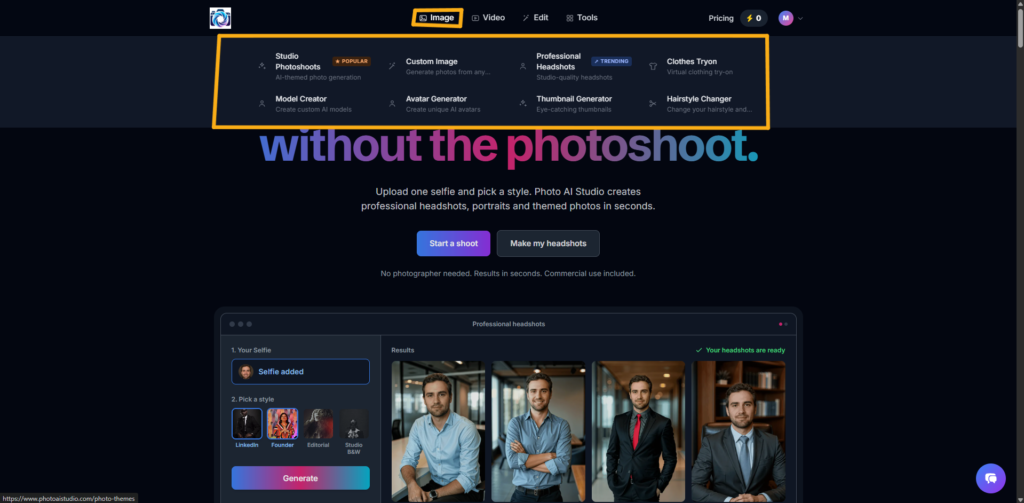
- Image: Studio Photoshoots, Custom Image, Professional Headshots, Avatar Generator, and Thumbnail Generator.
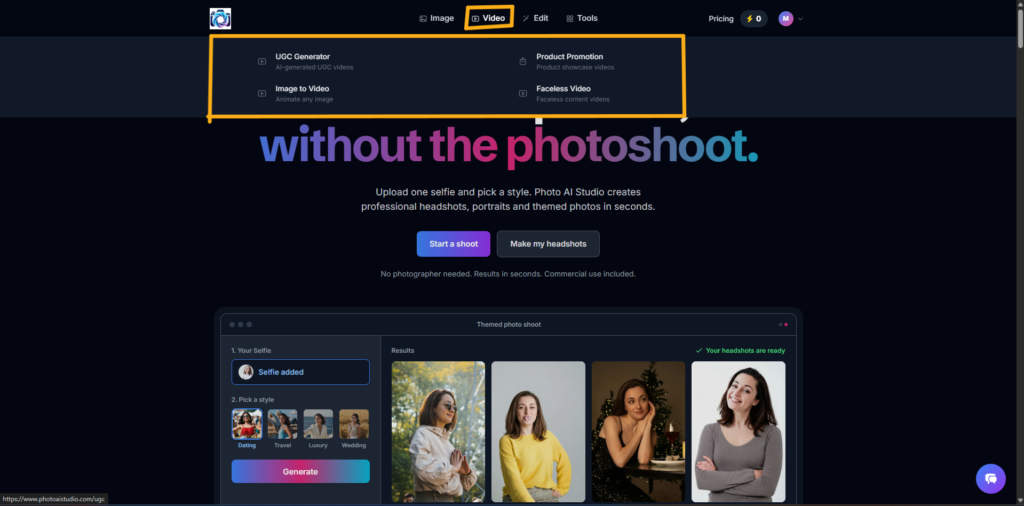
- Video: UGC Generator, Product Promotion, Image to Video, and Faceless Video.
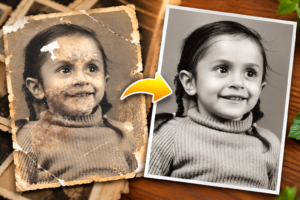
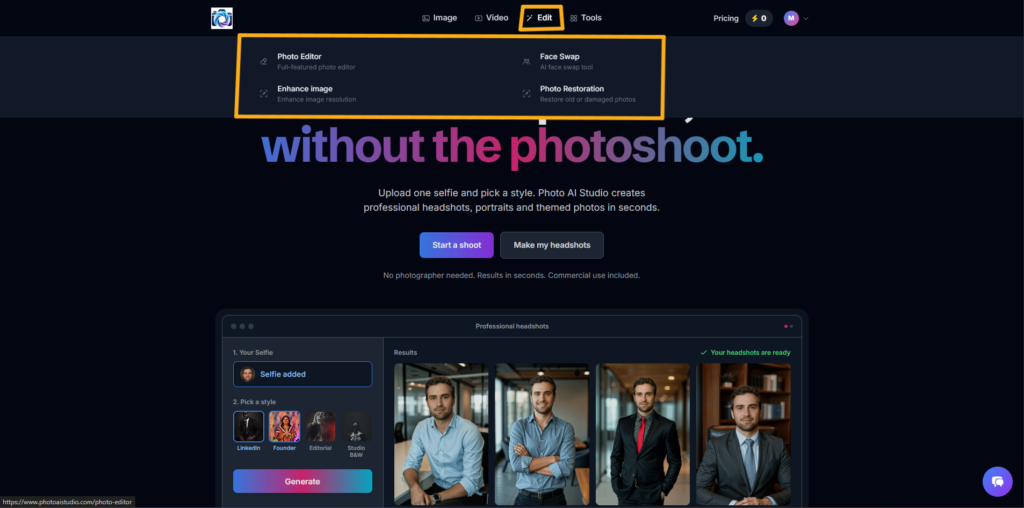
- Edit: Photo Editor, Face Swap, Image Enhancement, and Photo Restoration.
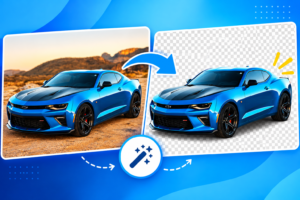
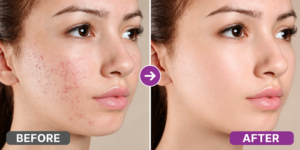
- Tools: Background Remover, Image Upscaler, AI Skin Enhancer, AI Outfit Swap, and AI Image Expander.
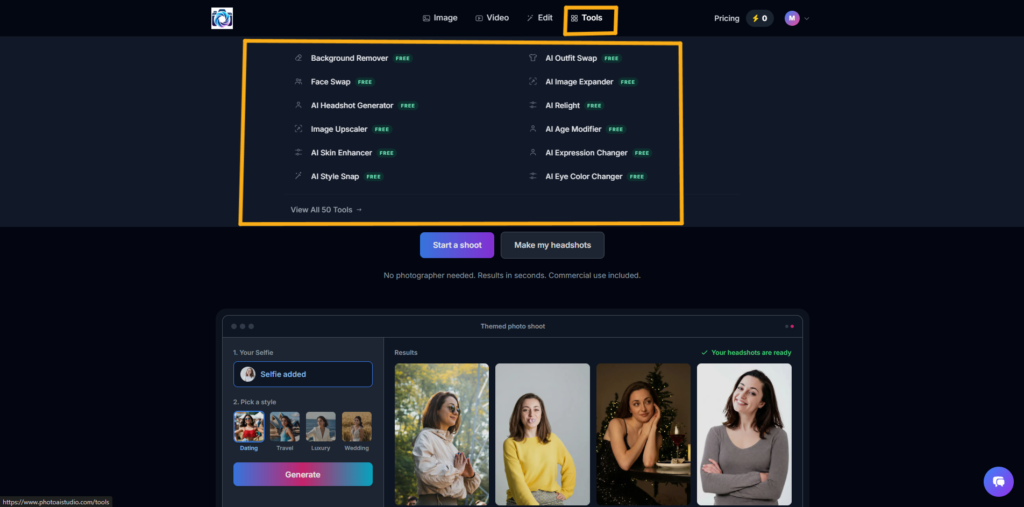
Important: Try it free for 3 days. Get full access to Photo AI Studio and generate images every day during your trial — no commitment required. Cancel anytime before the trial ends.
Want to improve your professional image? Learn How to Get a Professional Headshot using Photo AI Studio tool without a photoshoot.
2) What Is Syllaby.ai and How Can It Help Create Social Media Video Content?
Syllaby.ai is an AI content creation platform that supports video-related workflows, including ideas, scripts, video production, and editing.
Syllaby.ai
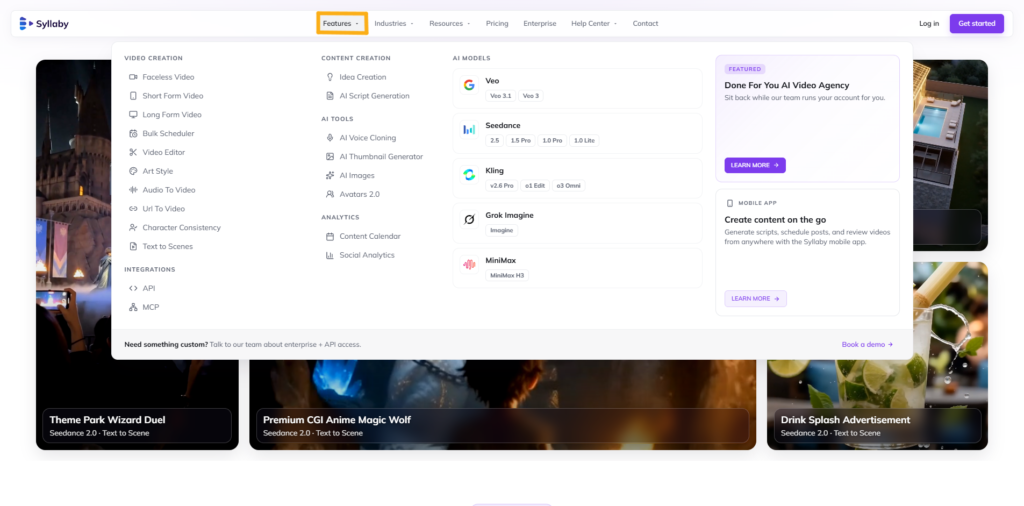
Its official product pages describe features such as AI scripts, trending ideas, video editing, and content calendars.
3) What Is Predis.ai and How Can It Help Create Social Media Posts?
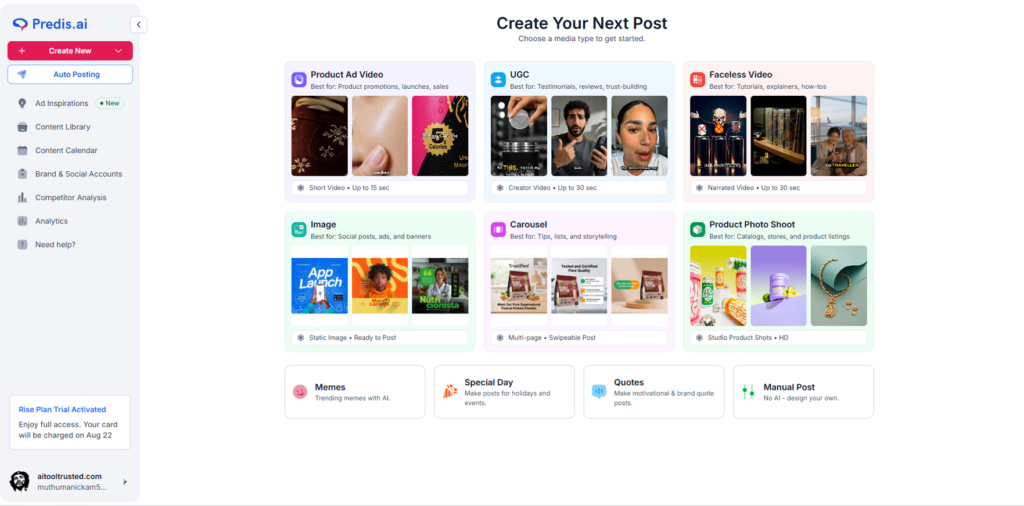
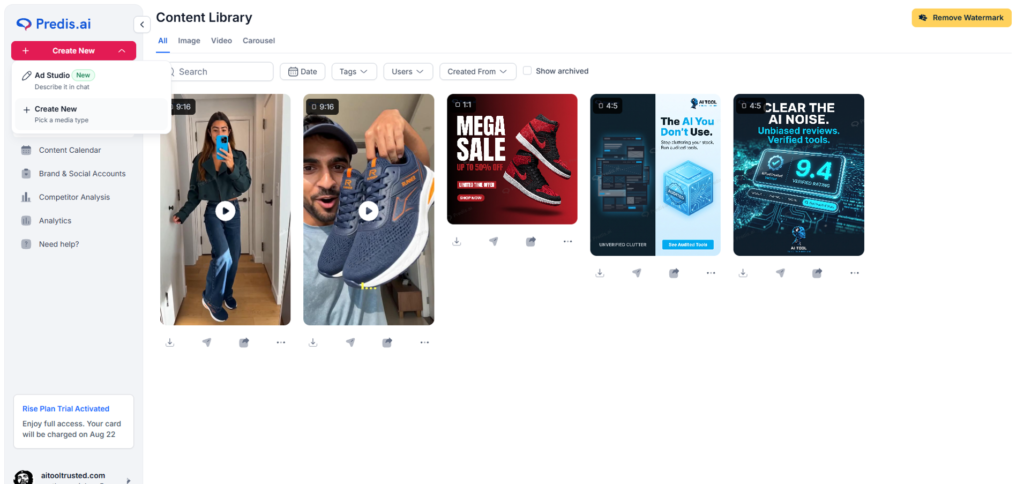
Predis.ai is an AI-powered marketing and social media content platform that supports creatives, videos, captions, carousels, and publishing workflows. Its official website describes content creation features and social media management capabilities.
Predis.ai

For example, a creator can use Predis.ai to develop an Instagram post concept, customize the generated content, and prepare it for publishing.
How to Create Social Media Content With 3 AI Tools Step by Step?
Creating social media content with AI involves moving from a clear topic to visual development, scriptwriting, post preparation, and human review. Combining multiple tools allows creators to evaluate which platform fits each production task.
For this tutorial, we will use one example campaign:
- Topic: 5 AI Tools Every Beginner Content Creator Should Know
- Target platform: Instagram
- Content format: Carousel post + short-form video concept
- Target audience: Beginner bloggers and content creators
Step 1: Choose a Social Media Content Topic
Choosing a specific topic is the first step in creating useful social media content with AI. A clear topic helps the AI tool generate more relevant ideas, visuals, and scripts.
For example, instead of asking for “Create social media content,” use a focused instruction such as:
Generate an Instagram educational content idea explaining five useful AI tools for beginner bloggers.
Before generating content, define:
- Your target audience.
- One specific problem.
- Your desired content format.
- The objective of the post.
A specific content objective helps connect the AI-generated draft to the audience’s needs.
Step 2: Create the Visual With Photo AI Studio
Creating a relevant visual involves selecting an image workflow that matches the tool’s supported features and reviewing the generated result. Photo AI Studio’s official website focuses on professional photo creation, including headshots, portraits, and themed images.
For a suitable personal-brand image workflow, follow these steps:
- Open Photo AI Studio.
- Upload a suitable selfie if required.
- Choose an available photo style.
- Generate the image.
- Review the result for visual quality and relevance.
- Export the image if the selected workflow supports it.
Example creative direction:
Create a professional visual of a content creator working on a laptop in a modern workspace, suitable for an educational Instagram post.
Adjust your instructions to the actual capabilities of the selected tool. If you need a graphic-heavy carousel, you may also require a separate design editor for layouts and text.
Learn How to Generate AI Photos Using Text or Reference Images: A Step-by-Step Tutorial to create stunning visuals with AI.
Step 3: Develop the Video Idea With Syllaby.ai
Developing a short-form video idea involves defining the topic, audience, hook, and key points before preparing the script. Syllaby.ai’s published product information includes AI scripts and video creation features.
Use the following workflow:
- Enter your target topic.
- Identify the beginner audience.
- Select a suitable video format.
- Develop a hook and key points.
- Review the generated script.
- Edit the wording before recording or producing the video.
Example hook:
Are you spending too much time creating social media content? Here are three AI tools that can help simplify your workflow.
Example video structure:
- Hook: Identify the audience’s content creation problem.
- Point 1: Explain the image creation workflow.
- Point 2: Introduce video idea and script development.
- Point 3: Explain social media post preparation.
- Closing: Encourage viewers to experiment with a simple workflow.
An AI-generated script should be edited for natural delivery, factual accuracy, and the intended audience.
Step 4: Prepare the Social Media Post With Predis.ai
Preparing a social media post involves developing the content concept, selecting an appropriate format, customizing the design, and reviewing the final draft. Predis.ai provides social content and creative features, although specific access depends on the current plan.
A practical workflow includes:
- Open Predis.ai.
- Enter the content topic.
- Choose a suitable post or carousel format.
- Develop the caption and supporting content.
- Customize the visual design where supported.
- Review text, branding, and layout.
- Export or prepare the post using the available publishing options.
Example caption:
Creating social media content can become easier when you use AI for brainstorming, visuals, and initial drafts. Explore different tools and customize every post for your audience.
Review the caption and design before publishing to ensure that the content matches your message and brand identity.
Step 5: Review and Improve the Content
Reviewing AI-generated content helps creators identify errors, improve relevance, and maintain consistent quality before publication. AI tools may produce inaccurate text, unsuitable visuals, or content that requires additional editing.
Use this review checklist:
- Verify factual claims.
- Correct spelling and grammar.
- Check image quality.
- Review text readability.
- Confirm that the content matches the target audience.
- Remove misleading or irrelevant elements.
- Ensure the visual and caption communicate the same message.
For example, if an AI-generated image contains an incorrect logo or the carousel includes an unsupported claim about an AI tool, edit the content before publishing.
Want sharper, high-quality visuals for your social media posts? Learn How to Upscale Image Without Losing Quality with AI tool.
AI-generated social media content should be reviewed and customized by the creator before publication to improve accuracy, relevance, and consistency with the intended audience.
71% of social media marketers believe AI-assisted content performs better than non-AI content, yet 78.4% still make moderate to extensive edits before publishing, according to SQ Magazine’s 2026 data.
Which AI Tool Should You Use for Different Social Media Content Tasks?
The most suitable AI tool depends on the specific content task, required features, and available plan access. Creators may combine different platforms when each tool supports a different stage of production.
| Social Media Task | Tool to Evaluate | What to Check |
|---|---|---|
| Creating professional photos | Photo AI Studio | Photo generation workflow and export options |
| Developing video ideas | Syllaby.ai | Idea, script, and video features |
| Creating social media posts | Predis.ai | Creative generation, captions, and publishing |
When Should You Use Photo AI Studio?
Photo AI Studio is suitable to evaluate when your content requires professional AI-generated photos or themed personal visuals. Its official website focuses on headshots, portraits, and photo creation from a selfie.
For example, a personal-brand creator can explore a professional portrait workflow for an Instagram introduction post.
When Should You Use Syllaby.ai?
Syllaby.ai is suitable to evaluate when you need content ideas, AI scripts, or video production workflows. The platform’s published information describes script and video creation features alongside content planning tools.
For example, a YouTube Shorts creator can develop an initial script about beginner-friendly AI tools.
When Should You Use Predis.ai?
Predis.ai is suitable to evaluate when you need AI-assisted social media creatives, captions, videos, or carousel content. Its official product information describes these content creation and marketing workflows.
For example, a small business can explore the platform’s creative features when preparing a promotional Instagram post.
What Are the Limitations of Free AI Tools for Social Media Content?
Free AI tools may provide access to selected features while applying usage limits, credit restrictions, trials, or other conditions that vary by platform and plan. Checking official pricing information is important before depending on a tool for regular content production.
For example, Predis.ai publishes credit-based usage information, while Syllaby.ai lists paid plans with monthly credits and different feature access.
50% of Gen Z say they’ve unfollowed, muted, or blocked accounts because they believed the content was AI-generated, according to Sprout Social’s Q1 2026 Pulse Survey.
Common Limitations to Check
Free or trial-based AI access may involve:
- Limited generations or credits.
- Restricted advanced features.
- Trial periods rather than permanent free access.
- Export or branding restrictions.
- Usage limits that vary by plan.
- Need for manual editing and quality control.
A free trial is not the same as unlimited free usage. Review the current terms of each platform before publishing claims about its free plan.
How Can You Reduce Dependence on Paid AI Features?
You can reduce initial costs by combining AI tools with free or manual alternatives.
For example:
- Use Google Docs for organizing scripts.
- Use Canva’s available free features for design work.
- Use a basic video editor for manual editing.
- Use spreadsheets to plan content topics and publishing dates.
These alternatives may not provide the same AI functionality as dedicated platforms, but they can support a beginner’s content workflow.
How Can Beginners Build a Consistent AI-Powered Social Media Content Workflow?
A consistent AI-powered social media content workflow uses a repeatable process for planning, creating, reviewing, publishing, and improving content. A small, manageable workflow helps beginners experiment without relying on unverified automation promises.
For example, a beginner blogger can prepare three Instagram topics each week and use the relevant tools for image development, scripts, or post creation.
A Practical Weekly Workflow
- Choose your audience: Identify the people you want to help.
- Select three to five topics: Focus on specific problems or useful questions.
- Plan the content formats: Decide whether each topic needs a carousel, reel, or image.
- Create initial drafts: Use relevant AI tools for the required tasks.
- Review and customize: Check accuracy, branding, and originality.
- Publish consistently: Follow a manageable schedule.
- Review performance: Use available analytics to understand what needs improvement.
Content planning and regular review help creators refine their publishing process over time.
How Can You Improve AI-Generated Social Media Content?
Improving AI-generated content involves editing the output to reflect your own expertise, audience needs, and brand voice. AI-generated content can become more useful when the creator adds original examples and practical insights.
For example, instead of publishing a generic caption about AI tools, include a short personal demonstration, a specific workflow, or an example of how the tool supports your content task.
A creator can also compare content performance over time without assuming that AI alone caused a change in engagement.
Frequently Asked Questions (FAQs)
Q1: What Are the Best Free AI Tools for Social Media Content in 2026?
A: Photo AI Studio, Syllaby.ai, and Predis.ai support different social media content creation tasks, including image generation, video scripts, and post design. Check each platform’s current free access and usage limits before getting started.
Q2: Can You Create Instagram Content Using Free AI Tools?
A: Yes, free AI tools can help you create Instagram images, captions, video ideas, and post designs. However, free plans may include credit limits, restricted features, or export limitations.
Q3: What Is Photo AI Studio Used For?
A: Photo AI Studio is an AI-powered creative platform for image generation, photo editing, video creation, and visual enhancement. You can explore tools such as professional headshots, thumbnail generation, and image upscaling.
Q4: How Can Syllaby.ai Help Create Video Content?
A: Syllaby.ai helps creators develop content ideas and video scripts using AI-powered workflows. You can use it to plan short-form video content and customize generated scripts before recording.
Q5: What Is Predis.ai Used For?
A: Predis.ai helps creators and businesses develop social media content, including captions, creative designs, videos, and posts. Its available features depend on the selected plan.
Conclusion: How Can You Create Social Media Content With AI More Efficiently?
Creating social media content with AI becomes more manageable when you combine a clear topic, suitable tools, and a repeatable review process. Photo AI Studio can be evaluated for photo creation workflows, Syllaby.ai for content and video production features, and Predis.ai for social media creative workflows.
The three tools serve different purposes, and their current free access conditions should be checked before you commit to a regular workflow. Human editing remains essential for accuracy, originality, and brand consistency.
Start with one content idea, experiment with AI-assisted creation, and improve your process with every post.
Which AI tool would you like to try first for your social media content creation?
Written by
Muthumanickam — SEO, Blogging, Affiliate Marketing, and Content Creation Specialist, with experience developing content across different platforms.